
12 Best Transactional Email Services in 2026 (Reviewed)
 Paul Newham
Does your business need a transactional email service with high deliverability?
You’ve come to the right place. As email software specialists, the EVS team lives and breathes exploring questions like these. It’s our job to dig into all the fine details of what services have to offer. And share our expert insights to help you make the right decision for your business.
I’ve been reviewing email platforms for 6 years now. For this article, I’ve picked out the 12 best transactional services currently available. I share the results of my testing, what they’re best at, and all the key features. And, of course, what they cost. Plus, I’ll run you through all the things you should be looking for in a great transactional email platform.
The Best Transactional Email Services
Transactional email services integrate with your site or app through SMTP or an API. They send emails automatically when a user takes action, like filling out a form. It saves time and lets you scale to the kind of sending volumes you couldn’t handle manually.
Some services also include template builders or marketing tools. Others focus solely on fast, reliable delivery. The best platforms combine ease of use, integration, and email deliverability.
Here’s our pick of 7 best of the 12 best transactional email services we’ve picked out.
| Best For | Free Plan | Starting Price | |
| Brevo | Transactional email & email marketing | Yes | $15/mo for 20K emails |
| SMTP.com | High volume sending | No | $25/mo for 50K emails |
| SMTP2GO | Deliverability | Yes | $15/mo for 10K emails |
| Mailtrap | Testing emails | Yes | $15/mo for 10K emails |
| MailerSend | Ease of use | Yes | $7/mo for 5K emails |
| Mailgun | Developers | Yes | $15/mo for 10K emails |
| Postmark | Speed | Yes | $15/mo for 10K emails |
What is a Transactional Email Service?
A transactional email service is a platform for sending customer-specific emails. They automate the sending of receipts, order confirmations, password resets, etc.
To work, transactional email tools integrate with your website or app. They do this in two ways:
- SMTP servers connect your app to a mail server. They’re widely supported and simple to implement.
- Email APIs are faster and handle personalization, attachments, and error handling better. They are ideal for developers looking for precision and performance.
What to Look for in a Transactional Email Service
Choosing the right transactional email service isn’t just about the cheapest tool. It’s about finding one that fits your business needs and budget. No platform offers everything, so knowing which features matter most to you is key.
Here are the key features to look out for:
- High deliverability rates. Good deliverability is a non-negotiable. If emails don’t reach the inbox, nothing else matters. A 98%+ deliverability rate is the standard benchmark. Look for SPF, DKIM, and DMARC authentication as a minimum. Put tools like email validation and inbox placement testing at the top of your list.
- Automation tools. Look at how much control and flexibility you get with triggers. Bonus points for visual workflow builders.
- Easy integration. Whether you’re using an SMTP relay or a RESTful API, integration should be smooth. Look for platforms with official SDKs in your preferred programming language. Or easier still, direct integrations for the platforms you use.
- Templates and email editor. Pre-built email templates save time when you send lots of different transactional emails. A drag-and-drop editor lets you build HTML emails quickly. And make sure your transactional emails fit your brand.
- Responsive customer support. Failed emails lead to unhappy customers. If your emails suddenly stop sending, you want access to fast, knowledgeable support. Look for live chat, phone support, and detailed documentation.
- Value for money. Some providers charge per email, others offer volume-based tiers. Compare the cost per email against features and how many emails you need to send. Think about future needs, too. What looks cheap now may cost more as your email list grows.
12 Best Transactional Email Services in 2026
So now you know exactly what transactional email services do. And you know what to look for when choosing one. Let’s take a closer look at our pick for the best transactional email services in 2026.
Brevo SMTP – Transactional email and email marketing
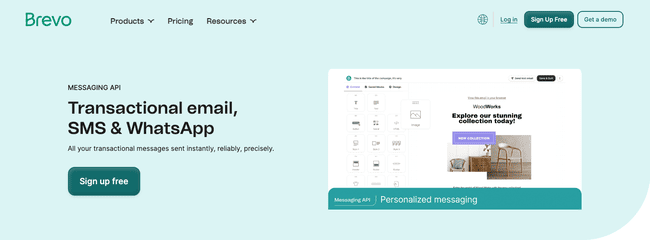
Brevo SMTP is a full-featured transactional email tool. You may also know them from their email marketing software, as it offers them both. Which makes it extra interesting for small businesses looking for an easy SMTP or API integration.
Brevo has a cloud-based SMTP server and a RESTful email API. The API is well-documented and supports multiple programming languages. Including PHP, Python, Ruby, Node.js, Java, and Go via official libraries. Brevo also integrates directly with major CMS and ecommerce platforms like WordPress, Shopify, and Magento.
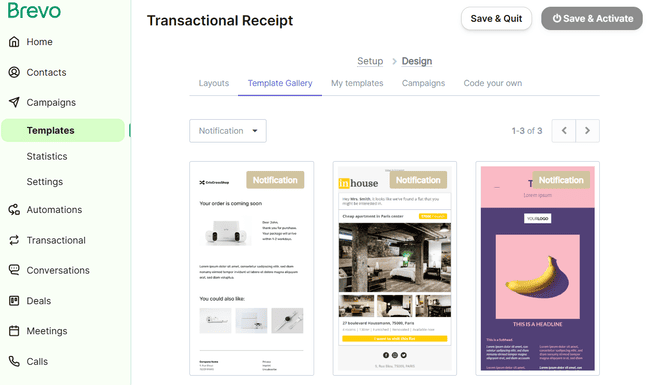
Having access to email marketing functionality is a big plus. It means you get a drag-and-drop email editor and pre-built HTML templates. Plus a visual automation builder to create email flows.
It’s all very user-friendly. You have great control over setting up triggers. You can also personalize messages easily in the customizable templates using dynamic content.
Brevo Pros
- Combines marketing and transactional email tools in one platform
- Easy to use with no-code automations and template editor
- RESTful API with code libraries in multiple languages
- Generous free plan with 300 free emails per day.
Brevo Cons
- Support is only available on email
Brevo’s free plan includes 300 emails a day. And full access to automation, templates, and analytics. All plans let you have unlimited contacts. The paid Brevo’s transactional plans is $15 a month for 20,000 emails. Marketing plans begin at $25 a month for the same volume. But you can start as cheap as $8.08 a month for lower sending volumes.
Get started with Brevo for free or read our full review
SMTP.com – Best for High Volume Sending
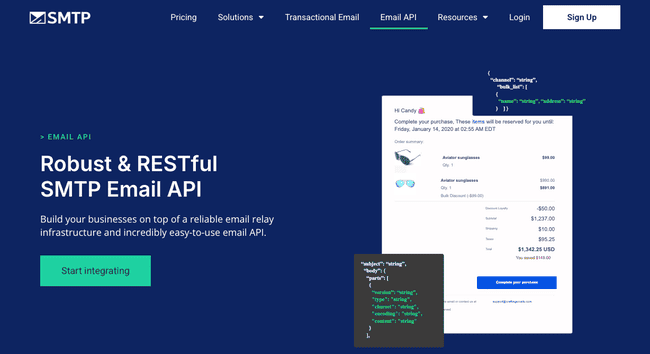
SMTP.com is an email delivery platform for sending massive volumes of email with speed and precision. It doesn’t pretend to be a full-service email platform. You can’t create emails in the platform. There’s no drag-and-drop builder, no templates, no campaign tools.
What you do get is a rock-solid SMTP relay service and RESTful email API. In both cases, SMTP.com is designed to integrate with whatever stack you’re already using. The API comes with official libraries for Python, PHP, Java, C#, Node.js, and Perl. Set up is straightforward with plenty of documentation.
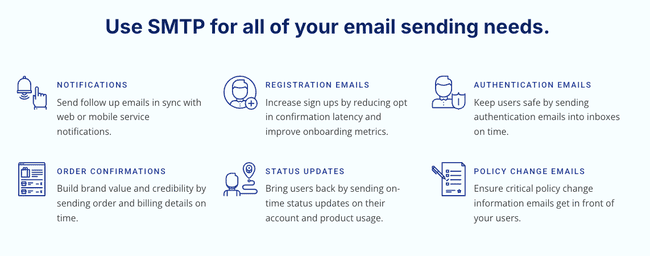
SMTP.com stands out for two things. It can handle massive bulk sending volumes. Its custom plans start at 250 million emails a month. It also boasts exceptional deliverability rates. It reports 98%+ inbox placement even at the highest bulk sending volumes. It’s suited to large organizations with very high transactional email needs. Dedicated IP addresses come with most plans. So your sender reputation isn’t affected by other users. For added protection, the Reputation Defender add-on proactively cleans your email lists. This reduces bounces by flagging problematic addresses before you hit send.
SMTP.com Pros
- Designed for high-volume sending
- Simple SMTP or API set up with broad integration support
- Excellent deliverability and dedicated IPs
- List hygiene tools via Reputation Defender
SMTP.com Cons
- No email building tools
SMTP.com starts at $25/month for 50,000 emails. Plans scale quickly, with custom tiers available for over 250 million emails/month. There is no free plan or trial.
Get started with SMTP.com here
SMTP2GO – Best for Deliverability
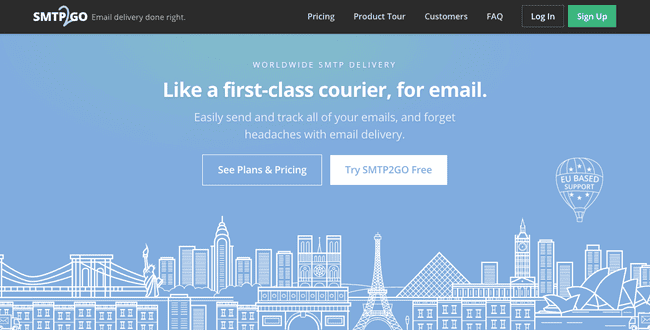
SMTP2GO is a transactional email specialist that majors in great deliverability. It doesn’t offer any tools for building transactional emails. But SMTP2GO stands out for how stacked it is with deliverability features. And that translates into great inbox placement rates.
It runs real-time blacklist checks in the background. It handles all aspects of SPF, DKIM, and DMARC authentication. And it will automatically scrub your email list of problematic addresses.
Every email sent generates a detailed delivery report. This is important for spotting deliverability problems when they occur. Visual reports make it easy to see how emails are performing. SMTP2GO also includes visual email previews across 40+ email clients. What looks good in Gmail might break in Outlook. With these previews, you can catch formatting issues before emails land in the inbox.
For developers, SMTP2GO offers both an SMTP relay and a RESTful email API. It has official code libraries available for C#, Java, PHP, Python, Node.js, and Ruby. Integrating it into your stack is quick, and the documentation is clean and clear.
SMTP2GO Pros
- Excellent inbox placement, even at high volumes
- Blacklist monitoring and email validation
- Inbox previews
- Free plan available
SMTP2GO Cons
- No email creation tools or template editor
SMTP2GO starts at $15/month for 10,000 emails. Prices scale up based on volume. There’s also a free plan that includes 1,000 emails per month.
Mailtrap – Best for Testing Email Performance
Mailtrap started as an email sandbox for catching and debugging malicious inbound emails. These days, it also has outbound email covered with a sending API and email marketing tools. And it turns its testing expertise onto inbox placement testing.
For transactional emails, you get access to both the email API and an SMTP relay. The RESTful API comes with official SDKs for Node.js, Ruby, PHP, Python, Elixir, and Java. Mailtrap bundles transactional and marketing email services into one. So the email API includes access to templates and a template builder. Meaning you can create emails wherever you have the API connected.

Mailtrap offers separate sending streams for transactional and marketing emails. It’s a good idea to use it if you send both transactional and marketing emails. It keeps transactional emails separate and email deliverability rates higher.
Speaking of deliverability, a standout feature of Mailtrap is the ‘fake SMTP’. Part of its sandbox product, this lets you run your emails through Mailtrap’s rigorous tests. It acts like a fully functional SMTP server. And lets you use different inboxes to run tests in. All without having to send any real emails.
Mailtrap Pros
- Email building tools are included in the API
- Separate sending streams for transactional and bulk emails
- Sandbox testing environment for outbound emails
- Advanced protection for inbound emails
Mailtrap Cons
- Doesn’t have transactional email templates
Email sending in Mailtrap starts at $15 a month for 10,000 emails and 5,000 contacts. There is a free plan with 1,000 emails a month. The email sandbox starts at $14.99 a month and lets you test 5,000 emails. You can test 100 emails a month for free.
Try Mailtrap for free or read our full review
MailerSend – Best for Ease of Use
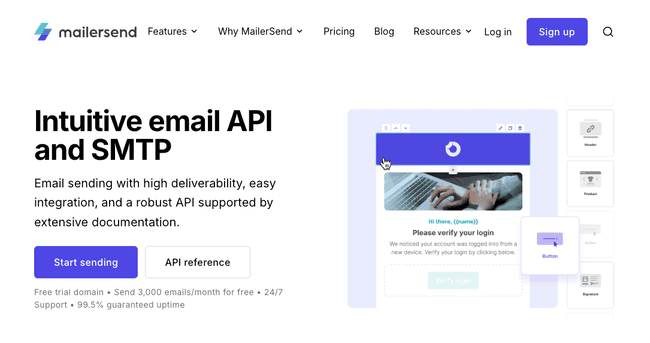
MailerSend is an SME-friendly transactional email service. It’s affordably priced for small teams. It provides plenty of support to make API integration straightforward. And you can create emails in the platform with a great email builder and transactional templates.
MailerSend comes with two APIs. One for email sending and one for email validation. Both are supported by extensive documentation. It has libraries available in PHP, Node.js, Golang, Python, Ruby, Java, and Laravel.
You can send attachments, send in bulk, and personalize emails. There’s also an inbound routing option for managing multiple inboxes. The verification API lets you check email addresses as you get new subscribers in your app. There’s also a bulk verification option.
MailerSend stands out for having not one but three ways to create emails. There’s the standard drag-and-drop editor for HTML emails. There are fully customizable templates for pretty much every type of transactional email. All templates support dynamic content for personalization.
There’s also a Rich Text editor for simple text-only emails. Or if you fancy coding your own templates, there’s a dedicated HTML editor. The great thing about this is you can see your template as you code.
MailerSend Pros
- Extensive API code library
- Multiple options for creating emails
- Email verification API
- Free plan
MailerSend Cons
- No phone support, just 24/7 live chat.
Pricing starts at $7 a month for 5000 emails. This also includes 100 email verifications. There is a free plan that lets you send 500 emails a month.
Mailgun – Best for Developers
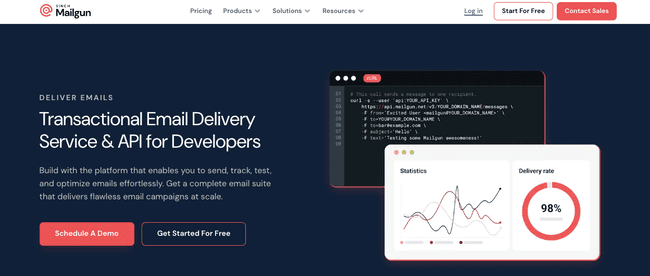
Mailgun is built for developers. Most transactional email platforms make do with one API. Mailgun has five. That allows it to offer unrivalled flexibility in building, sending, and tracking emails. Put simply, you can build transactional email capabilities into any software you want. If you have the know-how to use it.
Those five APIs cover sending, email validation, templates, event tracking, and analytics. As you’d expect for a developer-focused platform, its code library list is extensive. It provides official support for Python, Ruby, Perl, Java, Go, C#, PHP, Node.js, and Luvit. For everything else, Mailgun’s docs point you to reliable community-maintained SDKs. The documentation itself is among the very best. Clear, thorough, and developer-friendly.
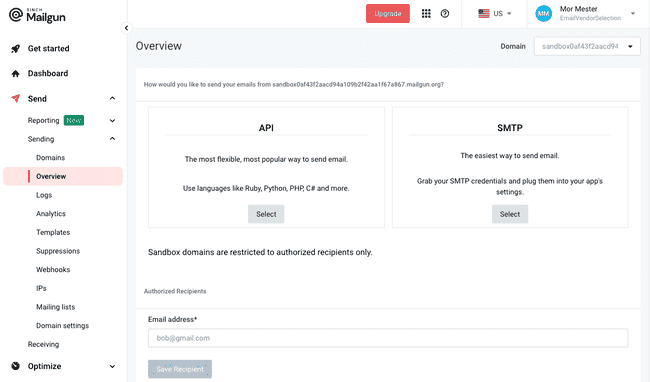
The benefit of having different APIs for different functions is more control. You can choose exactly what email capabilities to integrate in which places. And configure them individually. Mailgun isn’t just a sending engine. It includes a drag-and-drop editor for creating emails. The templates API lets you store templates directly in your codebase. Which means you can use them and create emails anywhere you want.
Mailgun also boasts exceptional deliverability. Its average bounce rate is just 0.42%. Mailgun’s Optimize suite includes inbox testing, blocklist monitoring, and real-time reputation insights. You also get detailed reporting through the Events API.
Mailgun Pros
- Modular API system for flexible integration
- Outstanding deliverability and reliability
- Deep performance analytics and optimization tools
- Store and send templates from any platform
Mailgun Cons
- More technically demanding than many rival services
Mailgun Send starts at $15 a month for 10,000 emails via SMTP or API. The Optimize suite adds another layer of insight and starts at $49/month. This includes 2,500 email validations and 25 inbox placement tests. Send has a free tier that includes 100 emails a day.
Get started with Mailgun for free or read our full review
Postmark – Best for Speed
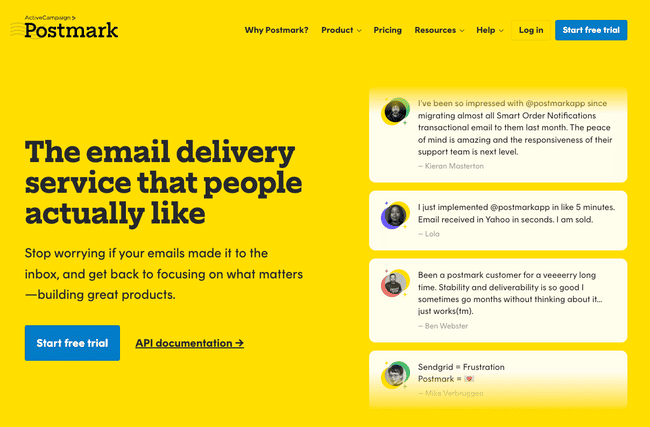
Postmark is an email delivery service owned by ActiveCampaign. It has one of the best sending speeds for transactional emails. And that’s thanks to a unique sending infrastructure.
Most email providers route marketing and transactional emails through the same servers. Postmark instead keeps the two separate. One set of servers, IP addresses and authentications for marketing emails. One for transactional emails.
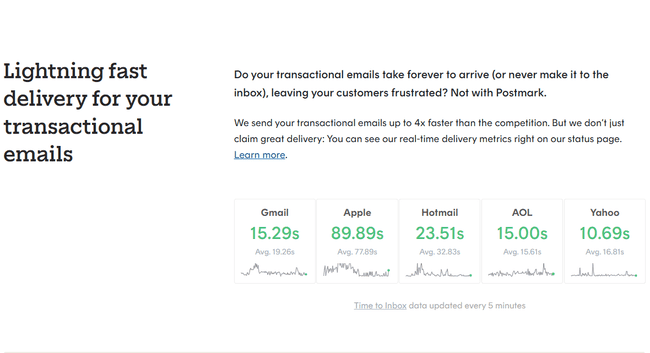
This keeps transactional emails fast because bulk-sent emails often slow things down. They are often subject to throttling by ISPs. Which means limiting the bandwidth available for emails. Postmark keeps all transactional emails well away from this. Its time-to-box stats for all major email clients beat nearly all competitors.
Postmark’s RESTful email API comes with official libraries for Ruby, .NET, Java, PHP, and Node.js. It also supports community SDKs for 20+ languages. Plus integrations with platforms like WordPress, Craft CMS, and Grunt. Developer onboarding is fast. Detailed guides and client libraries help make integration painless.
Postmark includes responsive, ready-made transactional templates. You can edit in both HTML and plain text. Or build your own via an in-app HTML builder with live previewing. Another strength is Postmark’s detailed performance and bounce tracking analytics. And it supports webhooks for delivery notifications.
Postmark doesn’t have email validation. If you pick Postmark and have a large email list, check out our review of the best email verification tools.
Postmark Pros
- Lightning-fast delivery with real-time speed stats
- Separate infrastructure for transactional and marketing emails
- Official and community libraries for 20+ programming languages
- Customizable, responsive email templates
Postmark Cons
- Support is email ticket only, no live chat or phone.
Postmark’s pricing starts at $15 a month for 10,000 emails and 4 users. There’s a free tier for testing that includes 100 emails per month.
SendGrid – Best All-In-One Email Service for Large Businesses
SendGrid is a transactional email heavyweight for large businesses. Its main USP is a developer-friendly sending infrastructure built for massive scale. But its free plan is less generous compared to Sendgrid alternatives.
SendGrid’s email API comes with official libraries for PHP, Python, Node.js, Java, C#, Go, and Ruby. Step-by-step integration guides make onboarding simple and fast. Many users report setup takes under 10 minutes. The API connects to Sendgrid’s own purpose-built Message Transfer Agent (MTA). This is engineered to handle 100+ billion emails per month. With a hybrid cloud infrastructure, SendGrid delivers impressive performance worldwide. Its median delivery speed is just 1.9 seconds.
SendGrid is also strong on deliverability. Beyond standard authentication, you get email validation and active suppression list management. Advanced features like throttle threat detection proactively prevent bottlenecks and bounce issues.
For building emails, SendGrid includes a drag-and-drop editor and customizable templates. These come with both the marketing platform and email API. So you get plenty of flexibility in how you design transactional emails.
SendGrid Pros
- Fast delivery even at the highest sending volumes
- Deliverability optimization
- Email builder and marketing automation tools
- Easy onboarding with strong API docs and multi-language libraries
SendGrid Cons
- Phone support is limited to callback requests on higher-tier plans.
SendGrid’s Email API starts at $19.95 a month for 50,000 emails. Marketing plans are priced separately. They start at $15 a month for 15,000 emails and 5,000 contacts. There is a 60-day free trial for both with 100 emails a day.
Try SendGrid or find the best SendGrid alternatives
Elastic Email – Best for Value
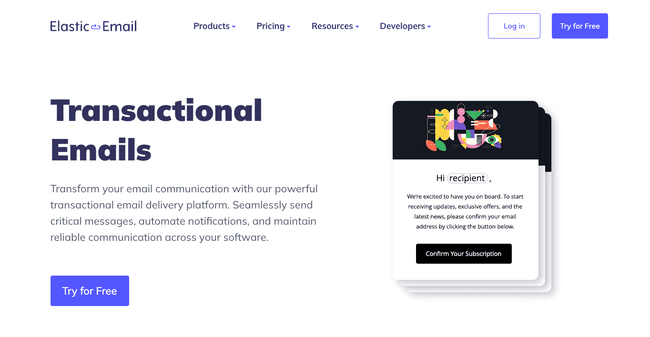
Elastic Email is another all-in-one email platform. It combines an email API and transactional email features with email marketing tools. Its Message Transfer Agent (MTA) supports high-volume sending. But its standout USP is that it offers some of the lowest per-email costs in the industry.
Elastic Email’s RESTful API comes with official SDKs in 12 programming languages. These include Ruby, Java, Go, PHP, Python, C#, and JavaScript. Developers can also generate multiple API keys for granular access control. But thanks to plentiful documentation, integration is straightforward. And the learning curve is surprisingly low.
The MTA supports traffic management. Deliverability features include domain authentication (SPF, DKIM, DMARC), IP warm-up, and send throttling. These controls help protect sender reputation and improve inbox placement. Especially at high send volumes. All plans also include email verification.
Non-developers aren’t left out, either. Elastic Email provides 20+ direct plugins. They cover popular platforms like WordPress, Joomla, WooCommerce, and Drupal. The API also includes access to an HTML email builder and transactional templates. So you can build transactional emails without having to sign up for email marketing plans.
Elastic Email Pros
- Low per-email cost
- Advanced IP warm-up, throttling, and authentication tools
- API code libraries for 12 programming languages
- HTML email editor and templates included
Elastic Email Cons
- Limited customer support options
Elastic Email starts at $19 a month for 50,000 emails. There is a free plan that lets you send 100 emails a day.
Get started with Elastic Email for free
SendPulse – Best for Free Transactional Emails
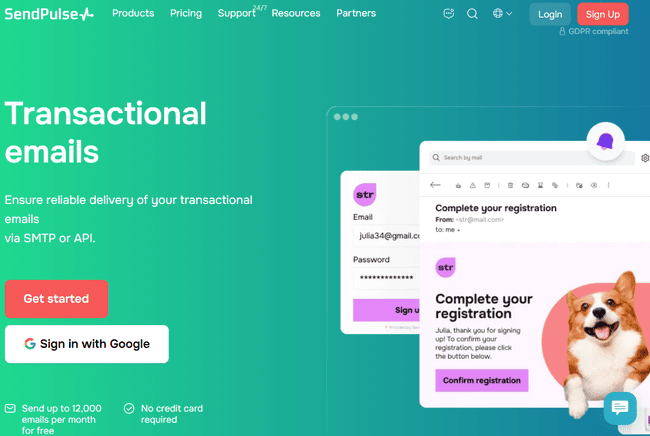
SendPulse is a multi-channel marketing platform that includes a fully functional email API. It also has SMS and web push messaging. Plus chatbot building tools, a sales CRM, and an online course builder.
SendPulse is a strong option for running transactional emails alongside other marketing channels. This, combined with affordability and ease of use, makes it attractive to SMEs. And SendPulse has an excellent free tier. You can send 12,000 emails a month for no cost.
SendPulse’s RESTful email API comes with solid developer support. Official code libraries include PHP, Python, Ruby, Java, Node.js, and C#. Documentation includes links to vetted third-party SDKs hosted on GitHub. The setup is beginner-friendly.
All transactional email plans come with a drag-and-drop email builder. And 130+ transactional templates. The Pro tier includes a dedicated IP address for every account. Dedicated IPs are often paid-for extras. They give you better protection for your sender reputation. However, compared to other services, SendPulse is a little light on deliverability features. But it does offer email verification as an add-on.
SendPulse Pros
- 12,000 free emails a month
- RESTful API with libraries in 6 major languages
- Flexible pricing (subscription or pay-as-you-go)
- Email marketing, transactional emails, SMS, web push, chatbots, sales CRM, and an online course builder in one platform.
SendPulse Cons
- Has hourly send limits and attachment size limits for pay-as-you-go users
Subscriptions for transactional emails start at $8 a month for 25,000 emails and limited features. Pay-as-you-go pricing for transactional emails starts at $12 for 10,000 emails. The free tier lets you send 12,000 emails a month.
Amazon SES – Best for Flexibility
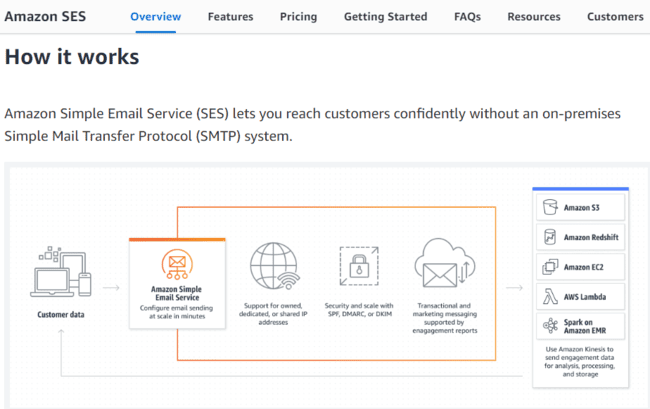
Amazon Simple Email Service (SES) is Amazon’s transactional and bulk email platform. It’s built on AWS. The giant cloud infrastructure powering Amazon, Netflix, and other major digital platforms. SES sends over a trillion emails annually, with no upper sending limit per customer. Its pay-as-you-go pricing makes it easy to scale up or down as needed.
SES is a sending (and receiving) engine only. You’ll need to create your transactional emails elsewhere. Check out our review of the best email template builders, or you can code your own templates.
It offers flexible deployment options. If you’re already using AWS, SES integrates easily into your architecture. For everyone else, there’s a RESTful API. Amazon doesn’t provide standalone HTTPS libraries. But you can use AWS SDKs for Python, Java, PHP, Node.js, Ruby, Go, C++, and more. The AWS Command Line Interface (CLI) supports advanced configuration, scripting, and automation.
You can choose from shared, dedicated, or bring-your-own IPs. Managed IP pools automate warm-up and tuning. SES’s Virtual Deliverability Manager (VDM) uses AI-powered insights to improve inbox placement. The Reputation Dashboard tracks bounces, complaints, and success metrics in detail. And the Mailbox Simulator lets you test email performance safely. These features make SES a strong fit for high-compliance industries like finance and healthcare.
Amazon SES Pros
- No upper sending limit
- Integrates easily with AWS services
- Powerful deliverability features and flexible IP options
- Low pay-as-you-go pricing
Amazon SES Cons
- Limited support via self-service and AWS support tickets.
Amazon SES uses pay-as-you-go pricing, starting at just $0.10 per 1,000 emails sent. This is for basic sending only, with extra services accessed as paid-for add-ons. Attachments cost $0.12 per GB. There is a free tier that includes 3,000 emails a month.
Try Amazon SES or find the best Amazon SES alternatives
Mailchimp Transactional Email
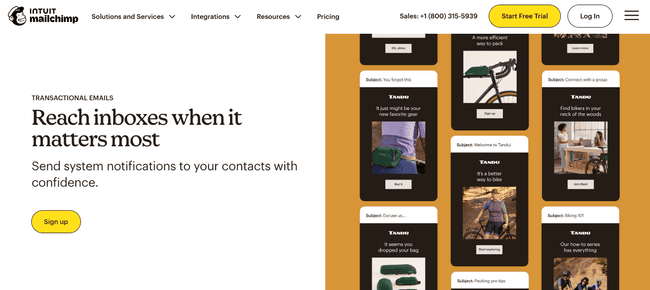
Mailchimp is one of the most popular email marketing services around. The fact that it can also be used for transactional emails goes under the radar a little.
Mailchimp has two different ways of running transactional emails. One, ‘for small businesses’, simply points its marketing tools support transactional emails. You can build automations with behaviour-based triggers. And create transactional templates to send the appropriate email.
But this is true of any email marketing service. It doesn’t count as a dedicated service for transactional emails. You don’t get the same scalability and reliability.
Mailchimp’s Developer product suite features a Transactional Email API. This does give you a dedicated sending infrastructure. But it doesn’t support as many code libraries as many rival services. Mailchimp only has official libraries for Ruby, Python, and Node.js. And it is also relatively expensive. Prices start at $20 a month for 10,000 emails.
If you’re already a Mailchimp user, you might find the transactional email API convenient. But for everyone else, we’d recommend other services on this list. Read our full Mailchimp review for more details about its email marketing features.
Conclusion: What Are The Best Transactional Email Services?
Transactional email services are the silent workhorses of customer experience. A good transactional email platform is the difference between critical emails landing in the inbox. Or getting lost in the spam folder.
So what’s the best choice for your business? Ultimately, only you can decide. But let’s sum up our top recommendations:
- For SMBs, we recommend Brevo and MailerSend. Their transactional email features are user-friendly and affordable. Brevo is ideal for running transactional emails alongside email marketing and even CRM.
- For larger businesses, SMTP2GO, SMTP.com, and Mailtrap are ideal for high volumes. They offer scale, control, and reliability without sacrificing speed or inbox placement. SendGrid is great if you want to run high-volume transactional and marketing emails side by side.
- For developers, you can’t go wrong with Mailgun or Amazon SES. They offer flexibility in how you build email capabilities into other platforms. They are stacked with features. And they offer elite-level performance.
| Best For | Free Plan | Starting Price | |
| Brevo | Transaction email + email marketing | Yes | $15/mo for 20K emails |
| SMTP.com | High volume sending | No | $25/mo for 50K emails |
| SMTP2GO | Deliverability | Yes | $15/mo for 10K emails |
| Mailtrap | Testing emails | Yes | $15/mo for 10K emails |
| MailerSend | Ease of use | Yes | $7/mo for 5K emails |
| Mailgun | Developers | Yes | $15/mo for 10K emails |
| Postmark | Speed | Yes | $15/mo for 10K emails |
| SendGrid | All-in-one email for large businesses | 60 days trial | $19.95/mo for 50K emails |
| Elastic Email | Price | Yes | $19/mo for 50K |
| SendPulse | Free Transactional Emails | Yes | $8/mo for 25K emails |
| Amazon SES | Flexibility | No | $0.10/1K emails |