
9 Best Email Deliverability Tools in 2026 (Tested & Reviewed)
 Paul Newham
Looking for help to improve email deliverability? You’re in the right place. We’re all seasoned email marketers here. We know how important deliverability is. If you don’t get your emails into people’s inboxes, you don’t get opens. Or clicks. Or conversions.
The same thing applies if you want to send transactional emails. Or cold outreach for sales. Email only works if people see it.
That’s where email deliverability tools come in. You simply cannot afford to take deliverability for granted. So I’ve tested deliverability tools and picked out 9 tools that, in their different ways, will get your emails where you want them.
What is an Email Deliverability Tool?
Email deliverability is about your emails landing in people’s inboxes. An email deliverability platform is designed to help make that happen.
To understand how, you need to know why emails don’t land in inboxes. It’s usually because they bounce (aren’t delivered at all). Or because they get flagged as spam by spam filters.
Deliverability tools identify the causes of bounces and spam triggers. They analyze the emails you send. They check your authentication, sending domain and IP reputation. They verify who you’re sending to. And they make sure you don’t send too much, too quickly.
9 Best Email Deliverability Tools Overview
Not all deliverability tools are created equal. To make the comparison easy, we pulled together a side-by-side view of the core features that really matter. If a tool has it, you’ll see a ✅. If not, we left it blank.
| Authentication Checker | Reputation Monitoring | Inbox Placement | Spam Checker | Email Verification | IP Warmup | |
| Bouncer | ✅ | ✅ | ✅ | |||
| ZeroBounce | ✅ | ✅ | ✅ | ✅ | ✅ | |
| Mailgun Optimize | ✅ | ✅ | ✅ | ✅ | ✅ | |
| GlockApps | ✅ | ✅ | ✅ | ✅ | ||
| Mailtrap | ✅ | ✅ | ✅ | |||
| Validity Everest | ✅ | ✅ | ✅ | ✅ | ✅ | |
| Warmy | ✅ | ✅ | ✅ | ✅ | ✅ | |
| Folderly | ✅ | ✅ | ✅ | ✅ | ||
| MxToolbox | ✅ | ✅ | ✅ |
Email Deliverability Features, Explained
So what features should a great email deliverability tool have? Here are six you should prioritize:
- Authentication Checker. Email authentication proves an email comes from a legitimate source. It helps stop inbox spoofing, a common tactic for phishing attacks. If an inbox provider doesn’t see the proper authentication on an email, it rejects it. Look for tools that check DKIM, SPF, and DMARC protocols.
- Reputation Monitoring. A healthy sender reputation helps avoid spam. It’s affected by spam complaints, bounce rates, and, worst of all, being blacklisted. But also by what other people do using shared domains and IP addresses. Reputation monitoring lets you know when any of these threats happen.
- Inbox Placement. Inbox placement testing shows where emails are landing. Most tests give results for the primary inbox, spam folder, or not being delivered. However, more and more mailbox providers have extra inbox tabs. Things like promotions, updates, and social folders. Some inbox tests show results for these, too.
- Spam Checker. Certain things in emails trigger spam filters. Irrelevant subject lines or too many links and images. Poor formatting and incorrect HTML code. A spam checker scans your emails for these and other red flags. And gives you a chance to put them right before you send.
- Email Verification. Most bounces are caused by issues on the recipient’s side. ‘Hard’ bounces come from permanent issues like an email account no longer being active. Or an address being fake. Email verification checks the emails in your list to avoid hard bounces. This is called list cleaning. Email verification tools, like Bouncer, will automatically remove invalid addresses for you.
- IP Warmup. Spam filters see unusual sending as suspicious. Things like sending email marketing campaigns from a new account or sending a lot more emails than usual. IP warmup counters this by slowly increasing send volumes over time. This avoids triggering spam filters. And protects your sender reputation.
9 Best Email Deliverability Tools Reviewed in 2026
1. Bouncer
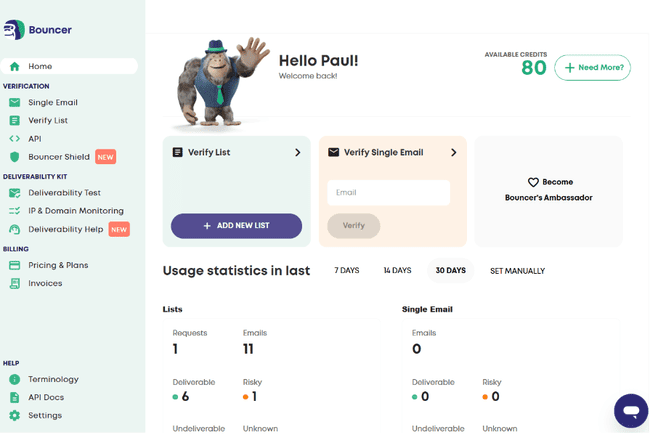
Bouncer has made its name as a top email verification service. It offers other email deliverability tools, like bulk list verification and email validation at sign-up. The Deliverability Kit also offers reputation and inbox placement monitoring.
We recommend Bouncer as a go-to list hygiene tool for three reasons. Flexibility, simplicity, and accuracy. You can test between one and 250,000 email addresses at a time. Bouncer connects to several email marketing platforms. Including Moosend, Brevo, Klaviyo, Kit, MailerLite, and Mailchimp. You can also use Bouncer’s API to plug it into almost any software.
Bouncer has a 95.5% accuracy rate. It achieves this with a long list of technical checks designed to root out fake or broken emails. It also flags any ‘toxic’ emails in your list. These include spam traps and emails from hacked addresses. Sending to them really damages your sender reputation.
This sounds complex. But Bouncer makes it very straightforward. It breaks results down into four simple categories. Deliverable, risky, undeliverable, and unknown. Autoclean removes ‘bad’ emails without you having to do a thing.
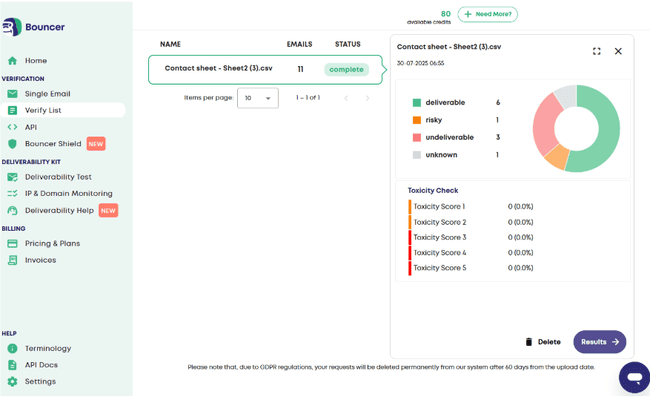
For single email verification, you get a score out of 100. And a summary of its domain and account status. Bouncer anonymizes all email addresses in its systems. And deletes results after 60 days to comply with GDPR.
Other tools include Bouncer Shield. This embeds Bouncer’s validation tools into subscription forms. So dodgy emails never make it into your list in the first place. The Deliverability Kit has inbox placement testing, IP and domain monitoring. Including blocklist checks.
Bouncer Pros
- High verification accuracy
- Automatic list cleaning
- Verify new subscribers at sign-up
- Inbox testing, IP and domain monitoring
- Pay-as-you-go pricing
Bouncer Cons
- The free email verification doesn’t give you full results.
Bouncer offers pay-as-you-go and subscription pricing for email validation. Pay-as-you-go starts at $8 for 1000 credits. One credit lets you validate one email address. The more credits you buy, the cheaper they become. You can save 20% by signing up for a recurring monthly subscription. Subscriptions can be cancelled at any time.
The Deliverability Kit starts at $25 a month. This includes inbox testing for 250 emails. And monitoring for 10 IP addresses and domains. Bouncer Shield starts at $49 a month.
Try Bouncer with 100 free validation credits or read our full review
2. ZeroBounce
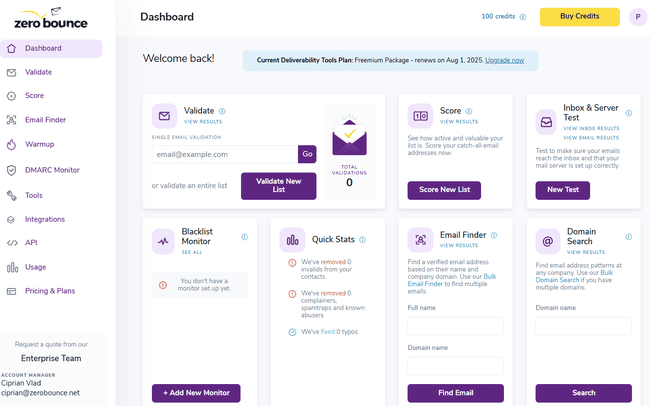
ZeroBounce is an email deliverability tool best known for its fast and accurate email validation tools. As well as standard list hygiene checks, it throws in extras like email activity analysis and an email finder tool.
It also offers DMARC authentication monitoring, blocklist monitoring, and inbox placement testing. Plus email warm-up and email server testing.
ZeroBounce is a good platform for enterprise-level verification. It can support lists of over 1 million contacts. And has strong privacy credentials, too. GDPR, SOC 2, and PCI compliance come as standard.
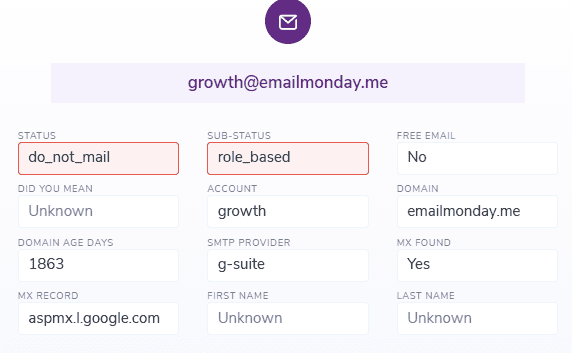
ZeroBounce’s verification checks are highly detailed. For single email checks, you get 12 different pieces of information.
For bulk validation, you can upload lists or connect to an email marketing platform or CRM. ZeroBounce has integrations for ActiveCampaign, AWeber, Mailchimp, MailerLite, Klaviy, and Moosend. You can also set custom rules for validation to block or allow certain domains. There’s an API and developer tools for connecting to other platforms.
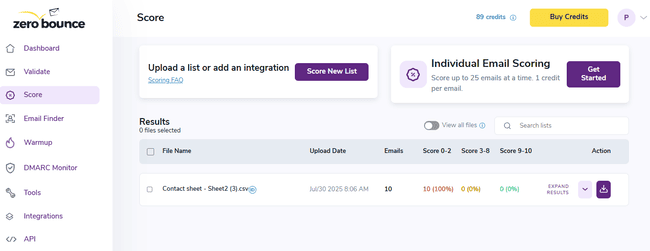
One of ZeroBounce’s most unique features is Email Scoring. It scores emails from 1 to 10. The higher the score, the less likely emails are to bounce. However, ZeroBounce doesn’t tell you what it bases the scoring on. And other services like Bouncer include this kind of risk analysis in their main verification.
ZeroBounce Pros
- DMARC authentication checking, blocklist monitoring, and inbox placement testing tools
- Suitable for validating large lists
- Pay-as-you-go pricing
- Freemium tier
ZeroBounce Cons
- Account setup is more complex than rival services.
ZeroBounce has pay-as-you-go pricing and monthly subscriptions. Pay-as-you-go starts at $20 for 2,000 credits. Credits can be used for email validation, scoring, and finding. Monthly subscriptions give you a 10% discount.
Deliverability Suite subscriptions start at $49 per month. That includes 50 inbox placement and 50 email server tests. Blacklist monitoring for 10 domains, scanned every 12 hours. 1000 email finder credits and DMARC monitoring for two domains. IP Warmup is only available from the next tier up, starting at $99 a month.
The free plan has 100 validation credits, 10 email finder searches, one inbox test, one server test, and one blacklist check.
Get started with ZeroBounce for free
3. Mailgun Optimize
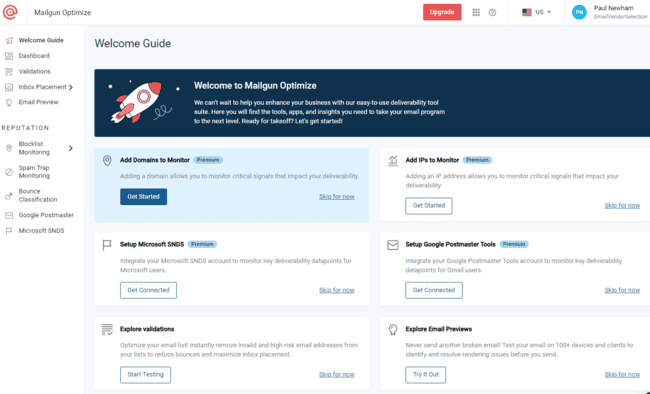
Mailgun is a developer-friendly email platform that specializes in high-volume sending. It provides APIs for integrating email sending and deliverability tools into platforms of your choice. Including an email validation API and a dedicated deliverability suite called Mailgun Optimize.
Optimize adds to the validation API in several ways. For example, it automatically cleans unverified emails from your list. And there’s a feature to validate new contacts at signup.
Beyond validation, Optimize has excellent reputation monitoring tools. These include separate monitoring tools for IP and domain health. This gives you a clear view of threats to your sender reputation.
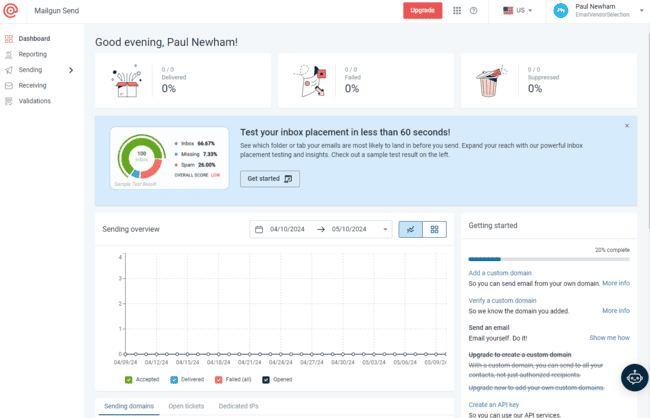
The inbox placement testing tool uses a sample of addresses to run tests. And gives you a deliverability score based on how many arrive in the inbox.
Mailgun also logs and scores all bounces. It tells you which damages your reputation the most. And runs authentication checks for Outlook and Gmail through integrations with SNDS and Postmaster. And as a bulk email specialist, it is right on top of IP warmup. If you use its sending service, it warms up sending volumes automatically.
Mailgun Optimize Pros
- Fast, reliable bulk validation and automated list cleaning
- Blocklist and spam trap monitoring
- Scores bounces based on how they impact your reputation
- Detailed inbox placement testing
- Developer-friendly email API and deliverability tools
Mailgun Optimize Cons
- More expensive than many rival services and doesn’t have a free plan
Pricing for Mailgun Optimize starts at $49 a month. That includes 2,500 email validations and 25 inbox placement tests. But you don’t get any of the advanced reputation monitoring tools. They start at $99 a month. There’s no free plan, but you get the first month free as a trial.
Try Mailgun for free or read our full review
4. GlockApps
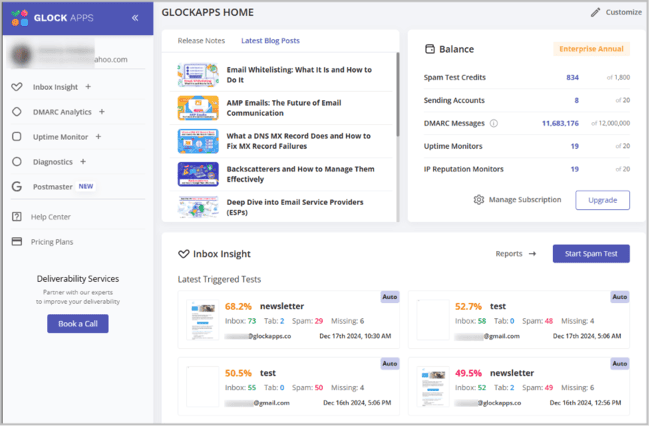
GlockApps majors in inbox placement, email spam testing, IP and domain checks. Its USP is that it combines all three in one handy tool, Inbox Insight.
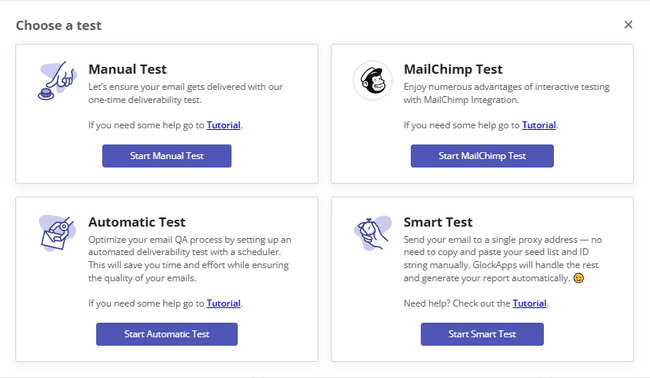
There are four ways to run a test. You can set up the whole thing manually. This includes choosing target inboxes, spam filters, and seed list recipients. You can set these up as automated tests to repeat. Alternatively, you can connect to Mailchimp. And run tests as part of your normal campaign flow. We’d love to see this working with more email marketing tools. And the easiest of all, you can set up a ‘smart test’. With this, simply paste in an email URL. GlockApps runs the test itself using its own seed list with 100 addresses.
Placement results show how many emails land in inboxes, spam, other tabs, and how many bounce. You also get a content analysis report. This provides a detailed breakdown of how spam-friendly your email’s content is. It analyzes images, links, and HTML.
GlockApps analyzes every IP address used in the chain to send your email. And scores each one on how it contributes to deliverability. It flags if any of these IPs are on blocklists. And identifies if they are responsible for an email landing in spam. You also see if your domain is blocklisted and get an authentication check.
At the end of all this, you get a spam score from sources like Google Spam Filter and Barracuda. And suggestions for optimizing email campaigns for high deliverability.
GlockApps also has a DMARC analysis tool. This runs daily authentication checks on your domain. It’s useful if you’re at particular risk of spoofing attacks. Or if you operate in a sector with strict data compliance requirements, like finance.
GlockApps Pros
- 3-in-1 testing for inbox placement, spam checks, and IP/domain reputation
- Focuses on the deliverability of real emails and campaigns
- Spam scoring from Google Spam Filter and Barracuda
- Targeted recommendations for improvement
- Good choice of free tools for one-off spam, domain, and authentication checks
GlockApps Cons
- Only connects to Mailchimp. It would help a lot more email marketers with more integrations.
Pricing starts at $59 for 360 spam test credits. Each credit gives you one full Inbox Insight report for one email. At this price, you can only use one sending account. There is a free tier that gives you two free tests per month.
5. Mailtrap
Mailtrap is an email sending platform used for transactional and marketing emails. It specializes in high sending volumes. It’s developer-friendly with a well-documented API.
Another feature aimed at developers is Mailtrap’s Testing API. This is a unique email deliverability testing tool. It provides a sandbox environment for testing sending infrastructure. Developers can run email configuration analysis in isolation. And use the results to inform their Email API settings.
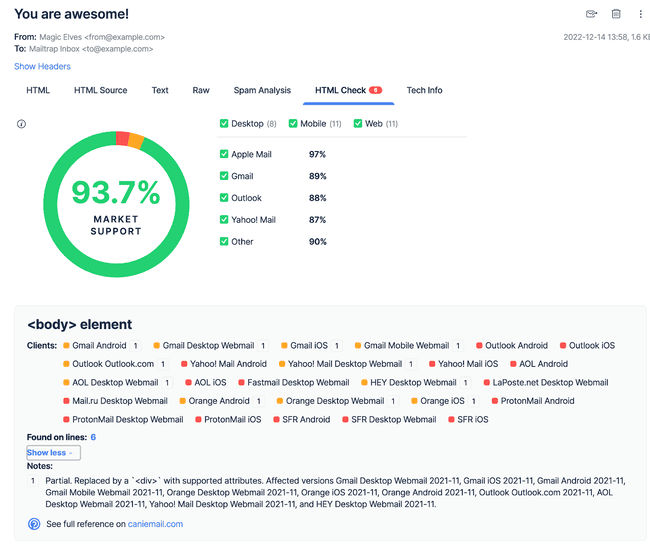
The sandbox can also be used as an advanced spam checker tool. The test environment provides spam check scores, header and subject line analysis, and validates HTML. It simulates sending to a ‘fake’ SMTP server. And logs results with details of any sending issues.
Developers can connect the sandbox to any SMTP server. And build automations to spam check every email before it gets sent. And as the sandbox is a separate product, this is available to any developer. Not just those using the Mailtrap email API. Find out more about Mailtrap’s sending features in our review of the best transactional email services.
Mailtrap Pros
- API-based testing environment
- Pre-send spam and deliverability checks
- Email HTML, formatting, and structure validation
- Blocklist monitoring and authentication checks with the Email API
- Free plans for both Email and Testing API
Mailtrap Cons
- Mailtrap’s Testing API requires a technical setup. It’s not suitable for non-developers.
The Email Sandbox starts at $14 a month for 500 test emails. You can use the Testing API to run 50 tests a month for free.
Get started with Mailtrap for free or read our full review
6. Validity Everest
Validity Everest is close to being an all-in-one deliverability platform. It’s excellent for reputation monitoring and analysis. But combines that with email validation, inbox placement testing, authentication checks, and spam tests. All that’s missing is IP warmup.
For reputation monitoring, it keeps a close eye on the usual threats to the domain and IP, like bounces, blocklists, and spam traps. But also digs into monitoring spam complaints and emails getting flagged as suspicious.
Everest tracks SPF, DKIM, and DMARC authentication for every email you send. For list validation, Everest uses Validity’s email verification tool called BriteVerify.
Everest’s inbox placement tester compares your email performance against competitors. And shows you which mailboxes are filtering your emails as spam. You can customize the tests to focus on specific inbox or internet service providers. You can also test how emails appear in 70+ mailboxes. Everest identifies issues with content, design, and HTML that could trigger spam filters. A cool thing about this is that it weights its advice to the mailboxes you target most.
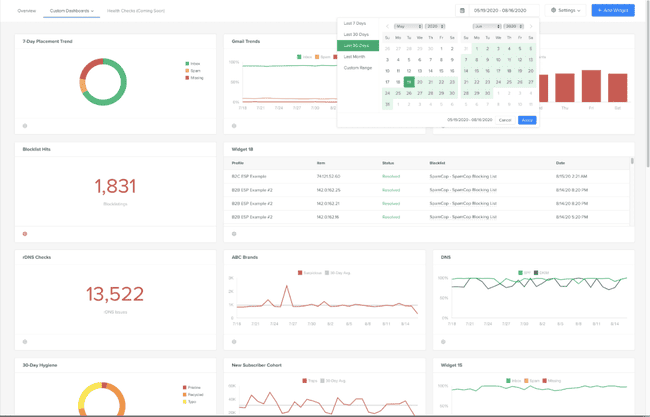
A standout feature of Everest is its detailed analytics dashboard. Easy-to-read visual charts display data from all tools in real time. And you also get an up-to-date sender score. The impressive level of detail appeals to large companies and agencies.
Everest Pros
- Detailed tracking of reputation threats
- Inbox placement comparisons with competitors and spam testing in 70+ mailboxes
- Real-time analytics dashboard with visual charts for all deliverability data
Everest Cons
- Everest is a big, powerful platform, but it comes with a learning curve. And a high price tag once you get past the cheapest plan.
Validity Everest starts at $20 a month. This includes 3 users, 5,000 emails, 5 inbox placement tests, and 100 email verifications. There’s no spam check at this tier. The next tier leaps to $525 a month with 20k emails. This also unlocks integrations with several email service providers. Mailgun, SendGrid, Amazon SES, and Salesforce Marketing Cloud are on the list. There’s no free plan.
7. Warmy
Warmy takes a different approach to deliverability than other services on our list. Rather than analyzing threats to deliverability, it actively seeks to improve your chances. Its particular focus is better inbox placement for cold emailing.
Warmy’s Email Warmup isn’t a conventional IP warmup where you gradually crank up sending volumes over time. The process auto-generates and sends messages to your contacts. These messages are customized to be relevant to your business and audience. And personalized and optimized using AI. The aim is simply to get people opening your emails. And therefore ‘warming up’ your sender reputation.
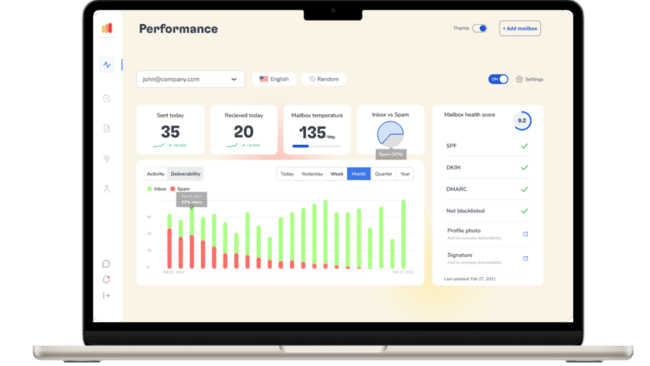
Warmy is good at tracking the impact of what it does. It provides live dashboards for opens, clicks, and spam rates. And matches that to IP and domain reputation. So you can clearly see trends over time. Email Warmup also includes authentication checking.
Another Warmy innovation is how its Email Seed List tool works. This isn’t used as a seed list for conventional inbox placement testing. Warmy’s seed list is a list of Gmail email addresses it controls. You send a campaign to these accounts. And then Warmy takes care of the engagement. Opening, clicking, etc. And you get the benefit to your sender reputation.
Warmy also provides conventional inbox testing. Its Deliverability Insights tool tells you whether emails land in the inbox or spam. And if they bounce. It tests in 10+ email providers, including Gmail, Yahoo, AOL, and GMX. And breaks down results for each. Inbox placement tests include authentication checks. And IP and domain checks.
Warmy also has a simple email verification tool. You upload a list, and it tests the email delivery status for each. The results are a simple deliverable or undeliverable.
Warmy Pros:
- Builds sender reputation for cold outreach and new domains
- Automated warmup
- AI tools to customize and personalize emails
- Built-in authentication and customization checks
Warmy Cons:
- Warmy doesn’t publish its prices. You have to book a consultation or demo to get pricing information.
There’s a 7-day free trial, and new users get 50 free warm-up emails.
8. Folderly
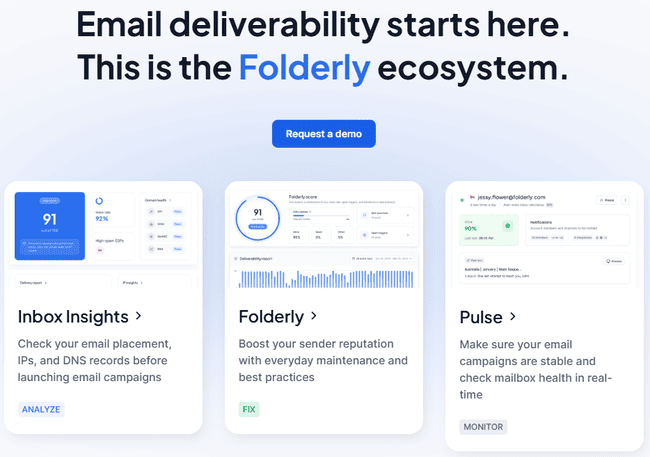
Folderly is a spam checker and inbox placement analysis tool. It connects to your sending platform and scores your deliverability on your sending practices and inbox placement.
Folderly integrates with Gmail, Outlook, Yahoo, Amazon SES, Mailgun, and SendGrid. Setting up is easy, and once done, you get automatic analysis of all your emails. That includes AI identification of spam triggers. How well you follow a list of deliverability best practices and DNS settings. It also gives you a daily count of how many emails land in subscribers’ inboxes versus spam folders.
Folderly’s strengths include the simplicity of how it presents all this information. Its dashboard is easy to understand. As is its ‘Folderly score’ out of 100. It also makes recommendations for improving your content and sending practices. The downsides are that Folderly only runs spam analysis through Gmail and Outlook. And it doesn’t include images in spam placement analysis.
Folderly also has a separate product, Inbox Insights. This combines inbox placement checks with IP reputation, blocklist monitoring, and domain authentication checks.
Folderly Pros
- Easy integration with email sending platforms, but we’d love to see more platforms
- Easy-to-read dashboard and deliverability score
- Recommendations for improving content and sending practices
Folderly Cons
- For the tools it offers, Folderly is costly.
Folderly pricing starts at $96 per mailbox per month with full access to all features. Inbox Insights starts at $64 per month. There is a free plan with two tests per month.
9. MxToolbox
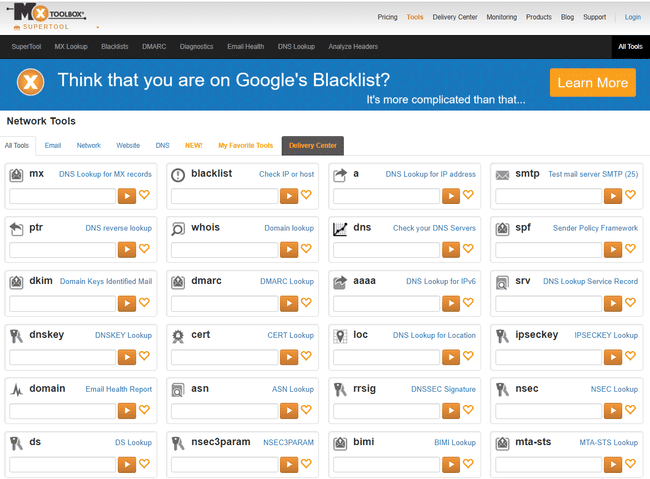
MxToolbox specialises in deliverability diagnostics. It’s packed with tools for testing the more technical side of email infrastructure. And many of them can be used for free.
There are two sides to MxToolbox. One side has 50+ free reputation and authentication tools. The other is a paid service that adds inbox placement testing. Plus some more niche deliverability reporting tools.
The free tools work by simply inputting an email address. You can choose any of the free ‘look up’ services you like. Or use a ‘Supertool’ to get results for all 50+ checks at once. Examples include DNS lookups for your domain servers, IP address and MX records. You can also check SPF, DKIM, and DMARC credentials. Ping test an address to check if it’s working. Get network diagnostics for your servers. And check your domain against blocklists.
The paid Delivery Centre analyzes your whole sending infrastructure. You can connect five domains. This gives you ongoing visibility across all the servers, IP addresses, and mail exchanges involved in sending your emails. So if one partner or host is letting you down, you’ll know.
The Delivery Centre includes inbox placement testing. This tests emails in Outlook, Gmail, and Yahoo. And tells you whether emails land in the inbox, spam folder, or don’t get delivered at all. You also get real-time blacklist monitoring. And a DMARC-based anti-spoofing tool.
MxToolbox Pros
- 50+ free tools
- Inbox placement testing
- Real-time blacklist monitoring
MxToolbox Cons
- The free tools are great. But the paid tiers are very expensive.
MxToolbox’s Delivery Centre starts at $129 per month. This includes 5 domains and 500,000 email tests. As well as the 50+ free look-up tools, there’s a free Delivery Centre plan. This has blacklist monitoring for a single domain.
Conclusion: Email Deliverability Tools
A good email deliverability tool doesn’t just tell you what’s wrong. It gives you actionable insights on how to improve inbox placement and deliverability.
If there’s one tool you should prioritize, it’s email validation. A clean email list will improve deliverability. Which makes services like Bouncer relevant to every business.
Here are my top picks for email deliverability tools:
- Best all-in-one deliverability platform: Mailgun Optimize
- Best for email verification: Bouncer
- Best for reputation & authentication checks: MxToolbox
- Best for IP Warmup: ZeroBounce
- Best for inbox placement testing: GlockApps