
The Ultimate Guide to Email Deliverability in 2026
 Paul Newham
Email marketing is an amazing channel. But before anything, your email needs to be delivered to the inbox. That’s why email deliverability is crucial. It can make or break your email marketing campaigns.
In this guide, we go in deep on email deliverability and everything you can do to improve it. We’ll show what sabotages email deliverability. And the tools you can use to increase deliverability..
What is email deliverability?
Email deliverability is all about getting your emails into subscribers’ inboxes. Good deliverability means your emails have a chance to be read. If poor deliverability means emails will get blocked, bounce, vanish, or get filtered as spam.
Email deliverability vs. email delivery
For email marketers, it’s important not to confuse email deliverability with email delivery. It is a big difference when judging email performance.
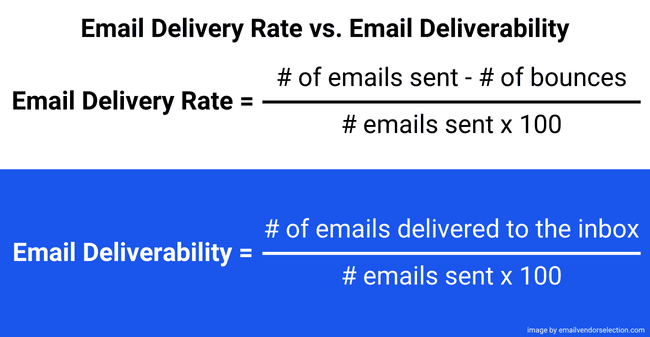
Email delivery simply means the recipient’s mail server accepted your email. But it doesn’t tell you which folder the email gets sent to. It could land in the inbox, promotions, updates, spam folder, or any other folder. Here’s how you calculate email delivery rate:
Email Delivery Rate = number of emails sent – number of bounces / number of emails sent x 100
Email deliverability is about where your email lands in the recipient’s inbox. Does it land in the spam folder or the main inbox? So it goes into inbox placement, not just delivery. This is much more useful for email marketers. Even if your delivery rate is 100%, many of your emails can land in spam. And your delivery rate doesn’t tell you anything about it. Here’s how you calculate email deliverability:
Email Deliverability = number of emails delivered to the inbox / number of emails sent x 100
Why is great email deliverability important?
Email deliverability defines the success of email marketing. Imagine spending hours crafting the perfect email, only for it to end up in spam. That’s a lot of effort wasted.
Most of your subscribers never look at any email in their spam folder. So deliverability directly impacts open, click and conversion rates. Those in turn affect your bottom line. That’s what makes email deliverability matter.
Here are some key ways deliverability affects not just email marketing performance. But also the wider health of your business.
- Keep your important processes running smoothly. Password resets. New feature alerts. Account notifications. Sales receipts and shipping confirmations. All of these transactional emails depend on deliverability. If these don’t reach your customers, in the best case it frustrates them. In the worst case, you are losing business.
- Build trust and loyalty. Email is the most popular channel by far. 75% of consumers prefer to hear from businesses via email. That compares to just 19% who prefer SMS and 16% who like social media. People want and expect to get updates, offers, or reminders via email. When they don’t arrive, it damages trust and that’s hard to win back.
- Avoid losing revenue. Email has one of the highest ROIs of any marketing channel. But only if your emails land where they’re supposed to. It’s estimated that US businesses lose $4.9+ billion a month because of undelivered emails, according to Mailtrap. Every unseen or unopened email can be a missed sale.
- Improve brand visibility People get a lot of emails. Around three in four emails never even get opened. You still want your emails to be seen, and get that branding. Your emails in the spam box, prevent that, and they aren’t a great look.
- Trigger more customer engagement. Email marketing is great for nurturing engagement with customers. Opened and clicked emails send engagement signals. You can use these to trigger follow-ups and learn about interests. But if emails bounce or go to spam, you’re not engaging with anyone.
What is a good email deliverability rate?
Figures on deliverability rates vary. This is because there’s no single agreed method for measuring it. Unlike delivery rates, you can’t see directly how many emails land in an inbox. You have to make educated guesses involving other known figures like bounce and spam rates. How these calculations are shaped affects the figures you get.
Deliverability rate is sometimes known as inbox placement rate. Here are some recent figures for comparison:
- The average global inbox placement rate is 84.8%.
- Inbox placement rates vary per country. 97.8% of emails land in the inbox in Germany. In India, the figure was just 69.8%.
- Deliverability varies by mailbox providers. Across Microsoft, AOL, Gmail and Yahoo!, the average deliverability rate was 86%. But it was just 66% for emails sent to Apple Mail.
What is a healthy bounce rate?
An email bounce is a delivery failure, either temporary or permanent. Your email bounce rate is the percentage of your total sent emails. There are two main types of bounces: soft and hard.
Soft bounce vs. hard bounce:
- Soft Bounce: A soft bounce is a temporary issue that stops your email from being delivered. Common causes include a full inbox, mail server downtime, or a sudden spike in the volume of emails you’re sending. This last one is caused by mailbox filters temporarily blocking you. Most ESPs will filter out emails that have had multiple soft bounces.
- Hard Bounce: A hard bounce is a permanent delivery problem. They are caused by invalid or incorrect email addresses. But also by unused or fake accounts. Any email addresses that lead to a hard bounce should be removed. Too many hard bounces will damage your sender reputation and can get you blocked.
A healthy email bounce rate is below 2%. Typically between 2-5% means you need to take action. If your bounce rate is higher than 2%, it tells you you’ve got too many incorrect or inactive email addresses in your lists or that there are technical problems.
In any case high bounce rates are a sign you need to step up your list hygiene.
You can use an email verification tool to remove unused, fake, incorrect emails and spam traps helping to keep your bounce rate low and your sender reputation strong.
What affects email deliverability?
Email deliverability is affected by both technical elements and your own sending practices. Technical factors include server performance, IP address (shared or dedicated), and choice of email marketing software. Email-sending practices include the content of your campaigns. How well you target. And how good you are at keeping your lists clean.
Free email inbox providers publish their sender requirements here are the ones from Google and Yahoo!. These are a great resource to understand what they see as good deliverability practices. You have to spin a lot of plates to maintain high deliverability rates. Here are the key things to focus on.
Sender reputation
Sender reputation is a “score” that mailbox internet service providers (ISPs) use to decide where emails should end up. Whether that’s the main inbox, spam, or another folder. It’s based mainly on sending practices and technical factors such as IP address reputation and authentication.
Sender reputation is the biggest influence on email deliverability. If your reputation drops too low, ISPs start to block or filter your emails. The biggest damage to sender reputation comes from spam complaints and high bounce rates.
Spam complaint rates
Yahoo! sets a spam complaint rate of 0.3%. That means just 3 spam complaints for every 1000 emails sent. Anything more than that will hurt your deliverability.
Dedicated or shared IP
Sending practices that damage your reputation are marked against your domain + IP addresses. Most small business email marketing tools send from shared IP addresses. So if another account on the same platform is sending lots of spam, your reputation suffers, too. That’s why most bigger senders should prefer a dedicated IP address. That way, you have control over your own sender reputation.
Authentication
Authentication proves to mailbox providers that your emails are legitimate. Think of it as an ID check for email senders. It’s a way of guarding against fake and forged emails. Spoofing and phishing attacks are a major source of nuisance spam. If you don’t authenticate your emails correctly, many ISPs will automatically block your emails.
There are different types of email authentication. The main ones are:
- SPF (Sender Policy Framework): SPF validates that an IP address is authorized to send emails from your domain.
- DKIM (DomainKeys Identified Mail): DKIM adds an encrypted signature to your email header. This proves to inbox providers that it hasn’t been tampered with during transit.
- DMARC (Domain-based Message Authentication, Reporting, and Conformance). DMARC adds an extra layer of protection against phishing and spoofing. To pass, DMARC requires either an SPF or DKIM pass and the domain to align with the domain in the “From” header. DMARC provides a way for domain owners to specify what an inbox provider should do when an email fails authentication. It can also report on emails that fail authentication.
Gmail and Yahoo! demand authentication for all senders. Both also require DMARC for bulk senders. Google defines bulk sending as over 5000 emails a day.
Both services also require valid reverse and forward DNS records. DNS means domain name system. This is the registry system that links web and email domains to IP addresses. Valid DNS records prove your domain names and IP addresses match. Which is another way of proving your email domain is genuine.
ESPs and email servers
Your choice of email service provider (ESP) directly impacts deliverability. The quality of their servers, relays and other infrastructure is critical to deliverability.
It’s also important to match ESPs and their infrastructure to your sending needs. For high-volume sending, you may want dedicated IP addresses. You can consider using SMTP servers and email APIs for transactional emails. These tools give you more control over performance than using your own server.
Low open rates
Low open rates cause a fall in sender reputation. If subscribers consistently ignore your messages, it tells the ISPs that subscribers aren’t interested. This leads to more emails landing in spam and fewer reaching inboxes.
A good open rate is above 20%. Below 15%, your deliverability can start to suffer. Dip under 10%, and providers may see your emails as irrelevant or spammy. They may block your emails.
Poor engagement, like unopened emails or frequent spam reports, reinforces this. It tells the ISPs you’re not following best practices. Regularly clean your email lists and make sure your content resonates with your audience. This maintains strong engagement and protects your reputation.
Inbox providers, like Apple Mail, pre-load email data even if a recipient hasn’t actually opened an email. This increases email open rates, but most of those aren’t actual email opens. You don’t need to worry too much about it but it’s good to know when you evaluate your metrics.
16 Steps to Maximize Your Email Deliverability
Understanding the importance of email deliverability and what affects it is one thing. But how do you increase emails landing in the recipient’s inbox? Here are 15 practical steps that improve your email deliverability.
1. Test your email deliverability and sender reputation
There’s no reliable way to test where emails land after you hit send. You can track email delivery, but not deliverability. Email inboxes just report on whether they accept an email or not. Not where they place it.
But some tools let you test the following:
- Sender reputation: Knowing your domain’s reputation gives a good indication of deliverability. A poor sender reputation will translate into a poor deliverability rate. IP reputation checkers test your reputation and show areas to improve.
- Spam filters: Spam filters are programmed to look for certain cues in the content of your emails. Spam testing services let you run a spam filter check before you send your campaign. Our review of the best email testing tools includes several spam check services.
- Authentication: Some sender reputation and spam testing tools will also check your authentication credentials. Some email marketing services, like ActiveCampaign, also have an authentication-checking tool for you to use.
The purpose of all of these checks is to flag where you need to do work to improve deliverability. If you are not getting the deliverability rates you want, these tests could tell you why.
2. Keep your email list clean
A ‘clean’ email list contains only active, engaged subscribers. And, importantly, people who have confirmed they want to receive your emails.
Good list hygiene is fundamental to good deliverability. Contacts who don’t want to receive your emails are more likely to leave them unopened. Or, worse, report your emails as spam. Both hurt your sender reputation. So does having inactive, fake and ‘spam trap’ emails in your lists. Because these are the addresses you will get hard bounces from.
The process of checking the addresses in your list is called email validation or verification. Email list cleaning services like Bouncer make checking and cleaning entire lists quick and simple.
3. Never buy or rent lists
Every email marketer wants a big list of engaged contacts. Buying or renting email lists might seem like a quick win. But it’s a shortcut to disaster. These contacts don’t know you and didn’t opt-in to receive your email campaigns. Not only are they more likely to mark your emails as spam. You could be breaking privacy laws by sending emails without permission.
You need explicit consent from all of your subscribers. This should happen at lead capture with clear opt-in options on the sign-up form. There are 2 ways to get new subscribers to give consent:
- Single Opt-In: The subscriber confirms they know what they’re signing up for. Often via a confirmation check box on your digital forms. This is the minimum legal requirement under GDPR.
- Double Opt-In: Subscribers sign up and click in a confirmation email. This extra step makes sure they’re genuinely interested, reduces mistyped emails, and prevents other false sign ups.
4. Send engaging emails
Great email content isn’t just about looking or sounding good. It also helps your emails get delivered. Poorly written, irrelevant, or spammy emails harm your sender reputation in several ways. Unimpressed recipients will stop opening or unsubscribe. Spam filters also check for red flags like spammy language, excessive links, and bad formatting.
But even great emails can fail if they don’t resonate with your audience. Relevance is everything. Subscribers expect the content they signed up for. And not everybody on your list will be interested in the same things. This is where segmentation comes into its own. Grouping your list into subsets based on preferences or behaviours lets you tailor who receives what.
Another way to increase engagement is personalization. That can be throwing in a name or dynamically changing whole sections of content. Either way, personalization makes people feel valued.
Pay particular attention to the subject line. It’s the first thing people see. Recipients often decide whether to open an email or not based on the subject line.
5. Authenticate your emails
Yahoo! and Google now demand authentication on all emails received. All 3 types of authentication make use of DNS records to validate domains and IP addresses:
- For SPF, you must generate an SPF record for all IP addresses you send from. This record is then added to your domain’s DNS. When a server receives your email, it checks the SPF record for your domain. If the sending IP matches, the email passes.
- For DKIM, you store an encryption key in your DNS records. When DKIM is enabled, an encrypted signature gets automatically added to every email. Receiving servers use the key in your DNS to decrypt and validate the signature. The signature can’t be authorised if the key and signature don’t match.
- A DMARC record is also published with your DNS. With a DMARC record, you can instruct servers to reject, quarantine, or allow unauthenticated emails. The record can also receive reports on failed or spoofed messages.
Set up the SPF and DKIM based on the specifications of your email marketing tool before you start sending.
6. Make it easy to unsubscribe
As an email marketer, making it easy for people to unsubscribe sounds counter-intuitive. After all the work you did getting them to subscribe, why would you help them leave??
But it’s all about protecting your sender reputation. Forcing disinterested subscribers to stay on your list won’t make them engage. Worse, hiding or disguising unsubscribe links frustrates recipients. If they keep receiving emails they’d rather opt out of, they’re more likely to report your email as spam.
An unsubscribe hurts less than a dent to your sender reputation. So if people want to go, don’t make it hard for them. Think of it as part of good list hygiene. You only want engaged subscribers who actually read your emails.
Google and Yahoo! both now include clear, visible unsubscribe links in their sender requirements.
7. Reengage inactive subscribers
Part of good list hygiene is looking out for inactive subscribers. By filtering non-openers over a set period, you can automated a re-engagement campaign to catch subscribers before they become inactive.
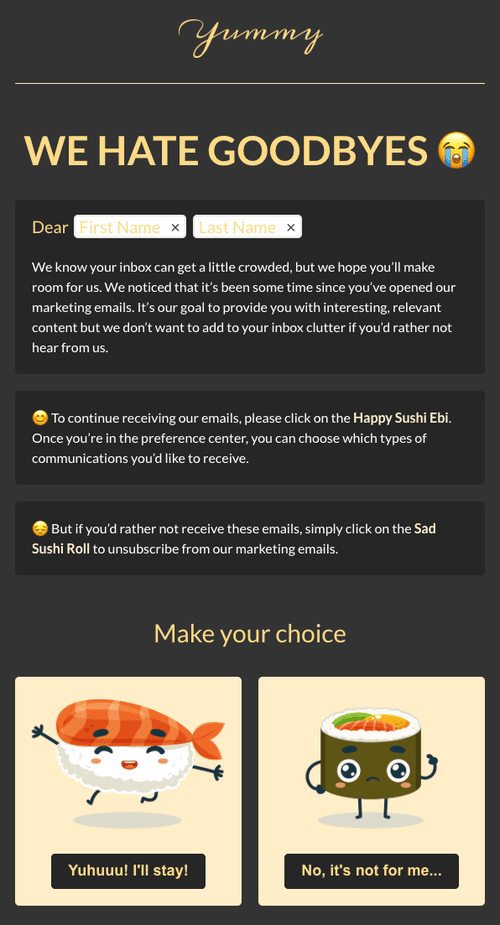
Get this template for free here
Don’t rush to remove inactive contacts from your list straight away. Maybe they’ve been busy or forgot about you. A reengagement email can be a polite email asking if they would like to continue to receive messages from you. You can easily automate this. Include both a reconfirmation link and an unsubscribe link. Remove contacts from your list if they didn’t open any reengagement emails.
8. Ask subscribers to add you to their contact list
Ask subscribers to add your email address to their contact list. A subscriber adding you as a contact confirms that they want your emails. Spam filters automatically mark emails from known contacts as ‘safe’.
9. Use a familiar sender name
Recipients look at the sender name and the subject line before they decide to open an email. If they don’t recognise the sender’s name, they can assume it’s junk.
This makes it important to think about the name and address you send emails from. An admin@ or marketing@ address isn’t going to get great recognition. People are in a hurry and scan emails quickly. They see dozens of generic marketing@ addresses. Even if they know your business, they might not look that far.
Using a personal name, like Mor from Email Vendor Selection, will get much better recognition. And therefore better open rates. Also, keep the sender name and address consistent.
10. Don’t use huge pictures or tons of images
Going overboard with images can harm deliverability. Images are used in spoofing attacks to mimic the appearance of genuine emails. Spam filters can also find it hard to ‘read’ the content of images. Some ISPs block images by default, so the user needs to click to show them.
If a recipient hasn’t switched inbox settings to display images, they’ll see blank space.
Images also add to the file size of an email. The bigger the email, the longer it takes to load. Large or too many image files can make emails slow to load. This increases the risk of bounces if a download times out. And it also frustrates recipients.
It’s good practice to not overdo it with images in campaigns. Use text as proper text and not text as an image. Compress your images to reduce the file size.
Similar advice applies to other media. But completely avoid JavaScript, forms and video embeds. They won’t work in most email clients anyway. Instead, use a thumbnail or GIF with a play button that links to your video on a webpage or link to the media directly.
11. Add alt text to your images
You can’t do anything about your subscribers leaving image rendering switched off. But there is a backup plan, called alt text.
Alt text provides a text description of your image. So even if visuals don’t load, recipients can read what should be there. This helps maintain the clarity and meaning of your message.
Alt text also improves accessibility for visually impaired users. If they are using a screen reader, it will read the alt text out for them.
Adding alt text is easy. Use your email tool’s editor or add it in the HTML. It’s a simple step with an impact on engagement and clarity for users that need it.
12. Keep your email templates responsive and consistent
Responsive email templates adjust the layouts and the size of the content to suit different screens and clients. This is good for deliverability. Recipients see layout distortions as a sign of a poor quality, spammy email. They are more likely to mark emails spam if the email is distorted on mobile. The more devices and clients your email looks good in, the less you will get blocked.
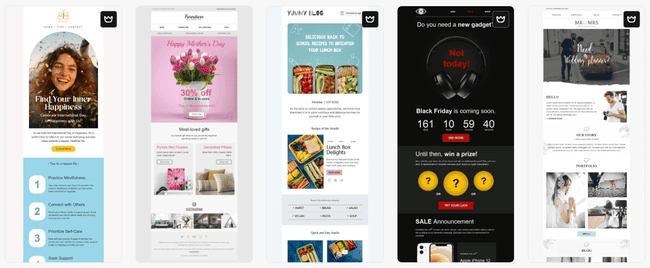
Responsive design also helps keep your emails consistent for readers. If your emails always load quickly and look good, that builds trust. Over time, you will get more opens. For this reason, it’s also important to stick to consistent branding for all campaigns.
13. Use a reliable email platform
Few smaller businesses want to get involved in the technicalities of email servers, relays and protocols. Most just want their emails to work. That means putting a lot of trust in the ESPs we choose. And choosing the right service is critical to good deliverability.
Most emails are sent from shared servers and IP addresses. The exception is when you get to high sending volumes. And it makes sense to pay for a dedicated IP. The rest of the time, you’re relying on the sender reputation of your ESP. Some email services work harder than others at maintaining a good reputation.
Check out our review of the best email newsletter tools to find services that take deliverability seriously.
14. Don’t send campaigns from free, personal email addresses
Free, personal emails are for exchanging emails with friends or businesses. Not for email marketing. Inbox providers are more likely to consider your email campaigns spam if you send high volume of from personal email addresses.
Gmail changed its policy a few years ago and started to penalize emails sent from Gmail addresses outside of Gmail. Email inbox providers adopt this as an additional safety measure against spam and phishing.
15. Warm up your sender domain and IP
A surefire way to trigger spam filters is to send too many emails from a new domain or IP address. Inbox providers have to recognise and trust a high-volume sender to accept emails. And the only way to get that trust is by not rushing to send too many emails too quickly.
‘Warming up’ your sender reputation means increasing how many emails you send gradually. This is also known as throttling. You start at a low volume of engaged subscribers and increase that volume a bit at a time. This signals to Gmail, Yahoo, Outlook and other inbox providers that you’re a legitimate sender.
Domain warmup is even more important if you have a very large list of contacts. 50k and above is the typical benchmark. It’s also a good idea when you switch email marketing services. Your domain will be connected to a new IP address. So you have to build your reputation. Same when you are starting in email marketing.
Most small business email marketing tools use shared IPs, these are already in use so you don’t need to worry about warming them up.
16. Follow a consistent sending schedule
Sticking to a regular schedule of when you send emails builds trust with both subscribers and mail servers. Subscribers are more likely to engage with emails when they arrive predictably. Set a weekly, biweekly, monthly schedule for sending email campaigns.
This results in better open rates. And better sender reputation. If you take 3 months off, and then start sending 10 emails daily, your first emails will have alot of bounces. And inbox providers will be more likely to see your emails as spam.
The best email marketing platforms make it easy to schedule campaigns. Research shows that emails sent between 4 am and 6 am get the highest open rates. This includes adjusting scheduling for global audiences. Some even have a send-time optimization feature. This analyzes the best time to send for each recipient.
The best email deliverability tools
There are lots of tools available to help you improve email deliverability. These range from email marketing and bulk sending services with good server infrastructure. To more specialized email deliverability platforms that run reputation and spam tests. And email verification services to reduce bounces.
Here are some good deliverability tools.
Bouncer – Email Verification Tool
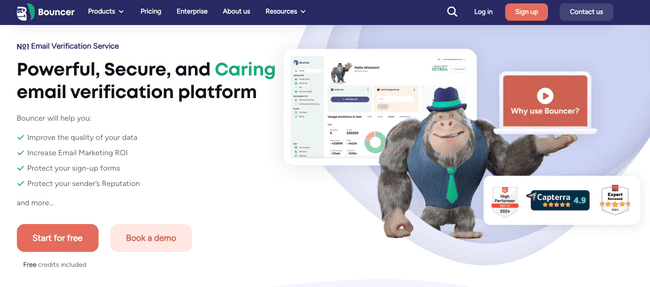
Bouncer is an email verification service. It covers everything you need to improve your list hygiene. You can run checks on entire contact lists. Or you can set it up to check every new email at sign-up. It integrates with most major email marketing platforms.
Bouncer improves deliverability by identifying bad email addresses that include bounces, fake, temporary emails and spam traps. The tests it runs include domain checks, syntax checks, smtp sender check, and disposable email detection.
Its Deliverability Kit helps you manage authentication and test emails against spam filters. It alerts you if your domain is ever blacklisted. And it has a tool that forecasts bounce rates.
Bouncer’s pricing starts at $8 for 1000 credits. A credit lets you validate one email address. You can make savings by purchasing credits in bulk. And try out the service with 100 free credits. The Deliverability Kit starts at $25 a month. And Bouncer Shield, the automated sign-up checker, starts at $49 a month.
Try Bouncer for free or read our Bouncer review
Postmastery EmailAudit – Deliverability test
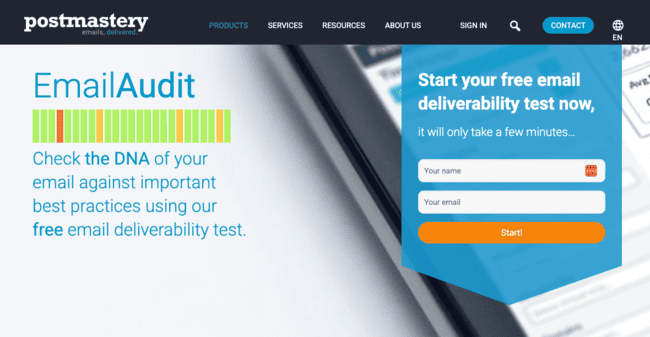
Postmastery is an email delivery and analytics platform. They have a free tool called EmailAudit for deliverability testing. EmailAudit checks your server setup, SPF and DKIM authentication, DMARC compliance, sender reputation, header fields, links, and images.
I just entered my email and name, and it gave me an email address. I sent an email to that address and got an email with a link to check my report within a minute. Seeing the report, I was pleasantly surprised by how detailed it was. This is just 1 section of the report:
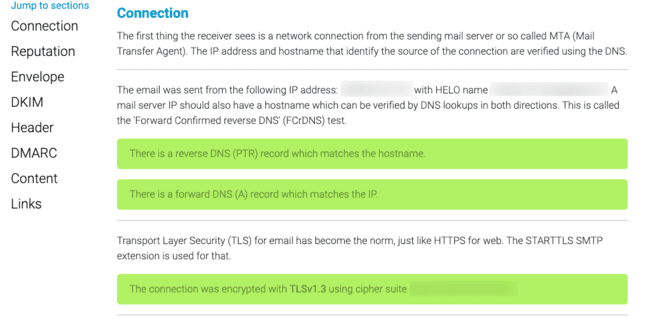
Green is okay, areas to improve are orange, and errors are red.
Postmastery email audit is fully free to use.
Sender Score – IP Reputation Checker
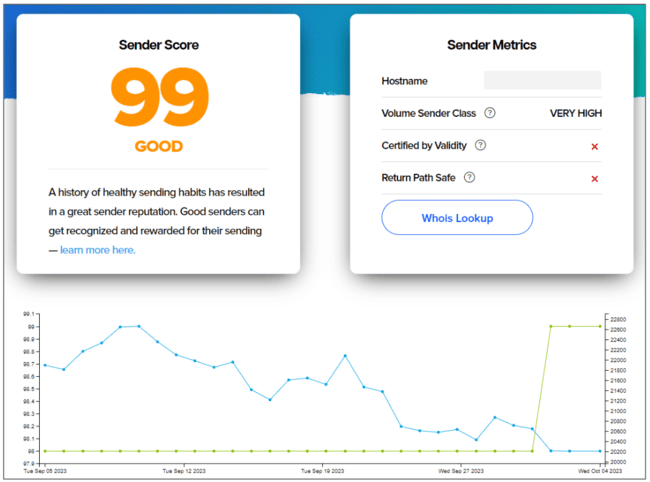
Sender Score is an IP reputation checker. How it works is summed up by its name. You paste the email domain or IP address into the tool. Add details about your sending activities. The tool runs a few checks. And then scores your sender reputation out of 100.
Sender Score can give you insights into sender reputation and how it affects deliverability. Any score above 70 means your sender reputation is deemed good. You get a breakdown of how your score is calculated. So you can see if spam complaints, sending to spam traps or being blocklisted are hurting your reputation. Sender Score also has other tools that analyze why emails are bouncing. Plus it offers address validation.
Sender Score is free to use.
MxToolbox – Email Authentication and Deliverability Tool
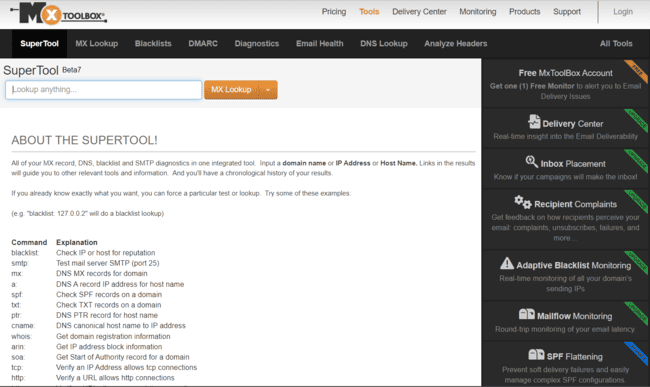
MxToolbox offers reputation, authentication and deliverability tools. Its name refers to ‘Mail Exchange’. One of its core tools is Mail Exchange (Mx) Lookup. This identifies the servers and IP addresses associated with an email domain. An important first step in running IP reputation checks.
From there, you can run a long list of technical tests on any domain and IP address. These include DNS lookup and SPF, DKIM and DMARC checks. You can see if your IP address appears on more than 100 blacklists. And run diagnostic performance tests for your mail servers. You can run any of the 37 tests available individually from the ‘SuperTool’. Or run an Email Health overview combining all.
MxToolbox is free for running checks. They also offer more advanced inbox placement analysis and delivery performance reports. Plus reports on spam complaints and active protection against blacklists and domain impersonation.
Why do emails land in the spam folder?
Junk folders are the bane of email marketers’ lives. At least with a bounce, you get clear notice that an email hasn’t been delivered. You can do something about it. But you don’t even know when an email lands in spam. It gets logged as delivered. But most likely never to be seen or read by the recipient.
All you can do is avoid the common reasons emails get sent to spam. So far, we’ve tackled lots of ways to avoid falling foul of spam filters. But there are 2 other common reasons your emails get sent to spam.
Spam complaints
Having an email flagged as spam signals you aren’t sending engaging, relevant content your contacts want. Worse, it suggests you’re not on top of list hygiene.
It takes more than one spam complaint to knock down your sender reputation. But a single complaint still carries consequences. It means future emails to that person will all land in spam.
Two things are key to avoiding spam complaints becoming a problem:
- Double down on quality content and effective segmentation. That way, your subscribers won’t have reason to complain.
- Clean your email list regularly. And if you see someone hasn’t opened an email in a while, send a re-engagement email.
Spam traps
Spam traps are a method email inbox services use to catch people sending spam. They take the form of fake email addresses. If you send an email to one, it’s a sure sign you’re not confirming or verifying your contacts. That counts as an unsolicited email. ISPs will mark down your sender reputation heavily as a result. And that means more of your emails in future will end up in junk.
The best way to avoid spam traps is to be strict on your opt-in confirmations for every subscriber. Bots can get through form confirmations. Double opt-in and captchas are much safer. You can’t get confirmation from a fake email address. You should also stay on top of list verification in case any fake emails sneak through somehow.
What happens if my email is blacklisted? And how to avoid it?
Blacklists are online databases of domains or IP addresses flagged for sending spam. Think of them as ‘naughty lists’ for spam senders. If your sender reputation falls past a certain point, you risk being blacklisted. High bounce or spam complaint rates will also land you in trouble. As will sending emails to spam traps.
Getting blacklisted hurts your email deliverability. A mail server consults these lists as part of their reputation checks. Emails from blacklisted domains often get blocked completely.
To stay off blacklists, only send emails to opt-in subscribers. Practice good list hygiene, and send engaging, relevant content. Use tools like MXToolbox’s blacklist checker to see if you’ve been flagged. If you appear on a blacklist, it’s a sign your practices have to improve.
How to get the best email deliverability
Good email deliverability is built on trust. The trust of your subscribers and the trust of mailbox providers. In both cases, sender reputation is everything. And your reputation is built on how you act as an email sender. And the tools you use.
Authenticate for your domain with SPF, DKIM and DMARC. Pick an email marketing service with a strong reputation and solid infrastructure.
Your actions as a sender are just as important. Good list hygiene and double opt-ins make sure every recipient wants your emails. Scrubbing your email list avoids sending to fake addresses and spam traps. And stick to a regular sending schedule.
Are you ready to take the next step in improving your email deliverability? We’ve put together this email deliverability checklist to help you:
- Choose an ESP that suits my sending needs.
- Set up and tested SPF, DKIM and DMARC authentication.
- Set up double opt-in or captchas on all email sign-up forms.
- Ran my list through an email verification tool and removed all risky emails from my list.
- Checked my domain and IP address using blacklist checkers.
- Warmed up my IP to the required sending volume.
- Included clear unsubscribe links.